

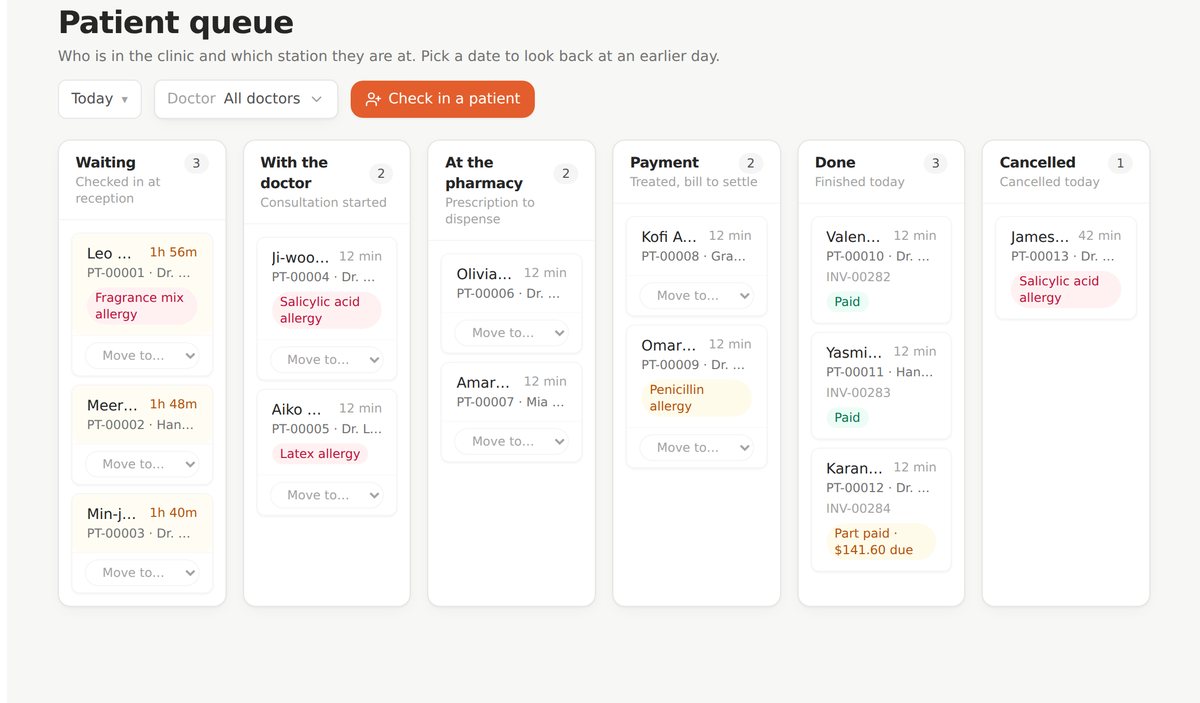
 Front desk
Reception
Check in against an appointment or as a walk-in. Drag the patient across a live board as they move through the clinic.
Clinic management software that runs your front desk, consultations, pharmacy, billing and patient records in one place.
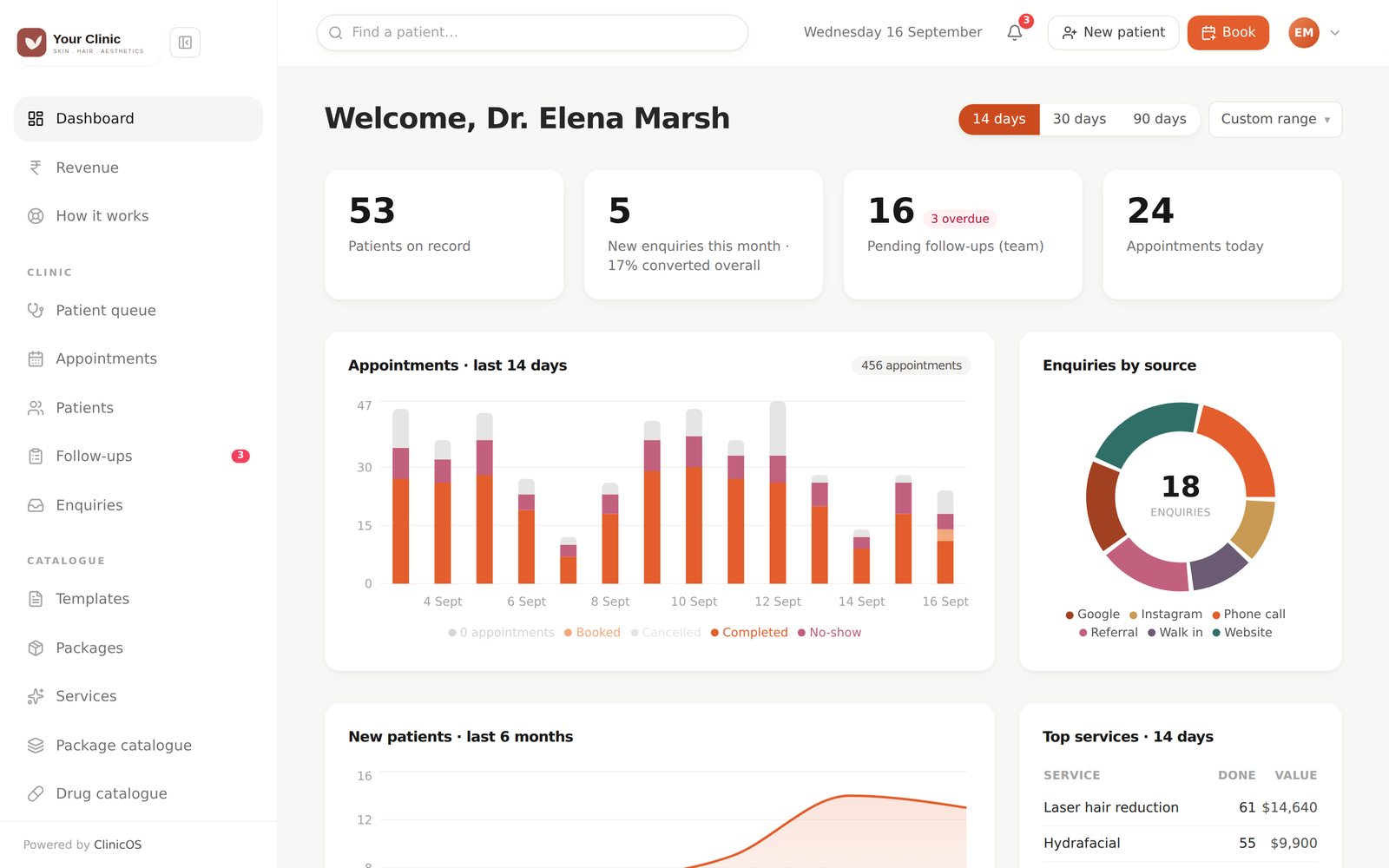
Every patient in the clinic, where they are, and how long they have waited.
COS connects the clinical, financial and administrative work of a clinic, so a patient moves from reception to doctor to pharmacy to billing without a single handwritten slip.
Explore the modules
Front desk
Check in against an appointment or as a walk-in. Drag the patient across a live board as they move through the clinic.
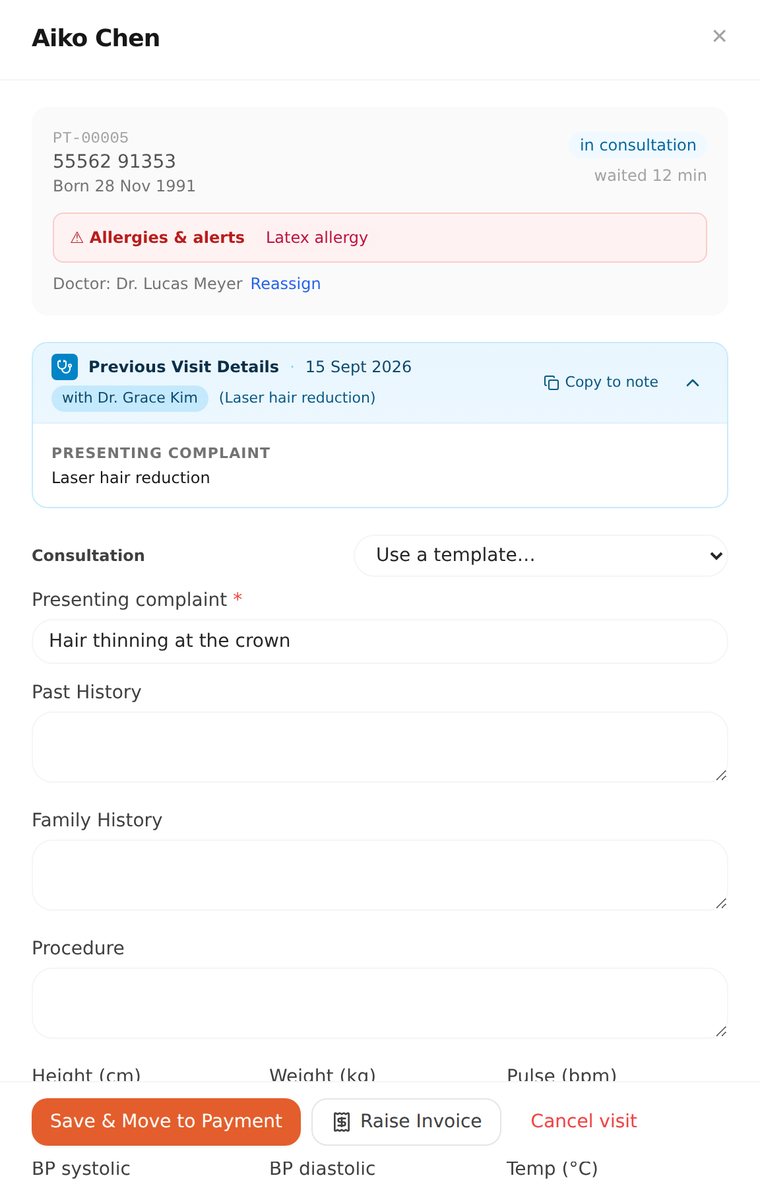 Consultation
Complaint, vitals, diagnosis, advice and prescription in one panel. Prescribing against a known allergy is refused without a typed reason.
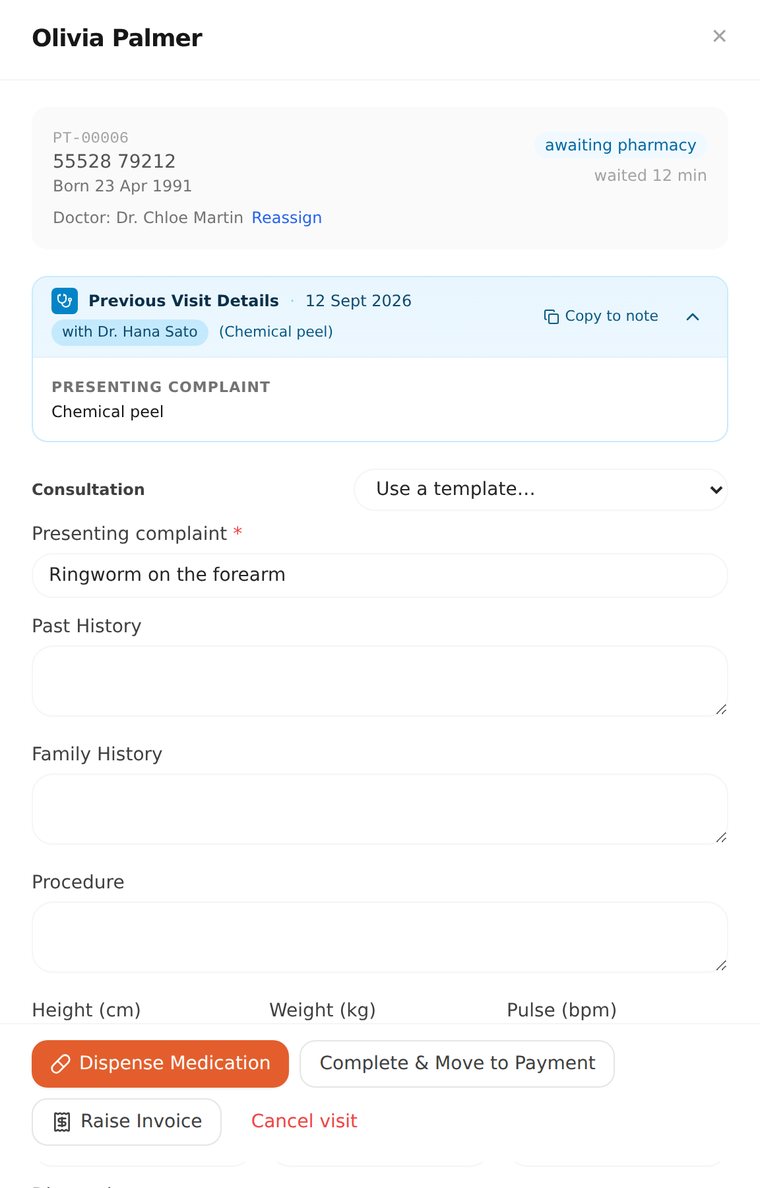 Pharmacy
Dispensing reduces stock on its own, and low stock shows up on the dashboard before a shelf runs empty.
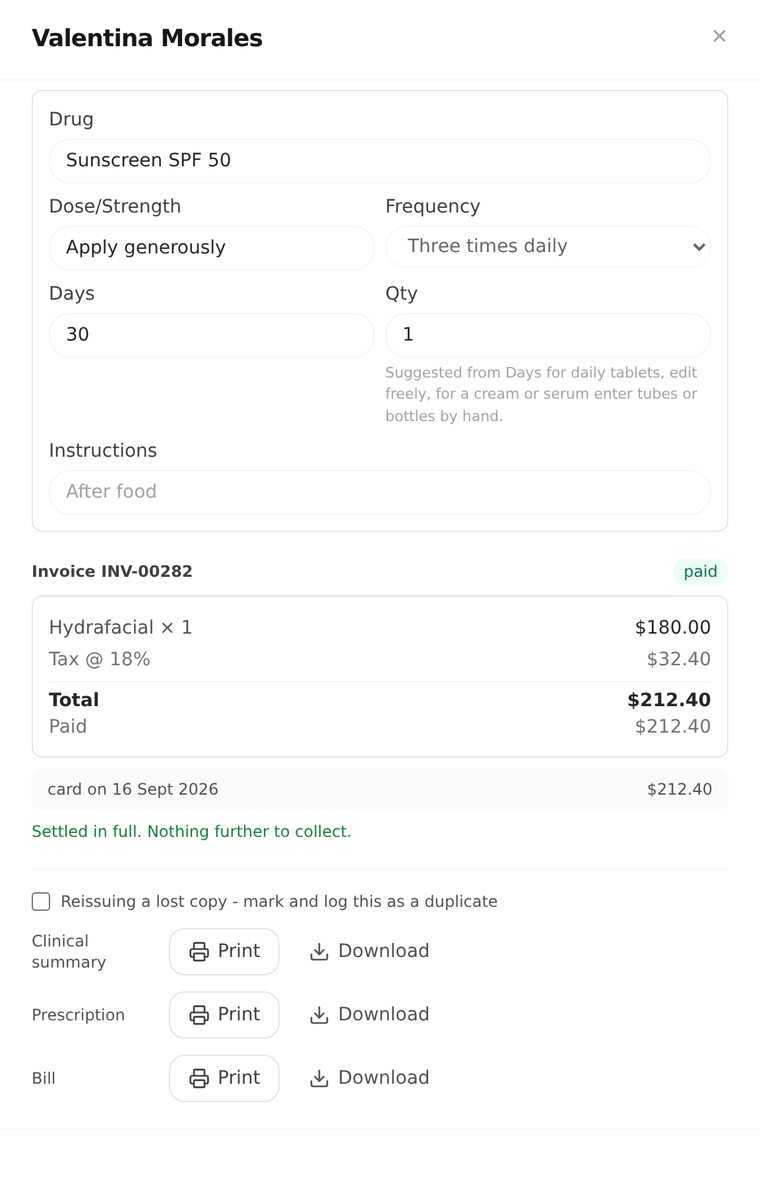 Billing
Priced from your services list in your own currency. Cash, card and mobile payments, part payments, and receipts with your logo and tax number.
Both run in your browser, exactly as they behave in the product.


Same angle, same area, 119 days apart. COS only compares photos taken from the same angle, and never uploads one without consent. Images are computer generated for this demo.
A live board of everyone in the clinic: waiting, with the doctor, at the pharmacy, done. Waiting time and allergy alerts on every card.
A calendar-style diary per doctor or for the whole clinic. Slots follow procedure length, and blocked time never opens.
Demographics, alerts, visit history, notes and conversations. Search by name, phone or patient code, with duplicate detection.
A pipeline from new enquiry to converted patient, with every status change stamped with who moved it and why.
Tasks sorted into overdue, today, this week and later, each assigned to a named person and linked to the patient.
Vitals, diagnosis, advice and structured prescriptions, with clinic-editable dosing frequencies and allergy blocking.
Stock levels, low-stock thresholds and quick adjustments. Dispensing reduces stock automatically.
Sequential invoice numbers, discounts, cash, UPI and card, part payments, and a refusal to raise a zero-value bill by accident.
Sell multi-session packages and redeem each session against the visit, so the balance is always clear.
Photos grouped by body area and angle, compared with a wipe slider. Encrypted, and never uploaded without consent.
Consent recorded per purpose, withdrawal in one click, retention review, data export and erasure.
A tamper-evident, hash-chained history of every change, in plain English for staff and field-level detail for technical review.
Owner, reception and practitioner roles, plus your own. The owner decides who sees what, from one matrix.
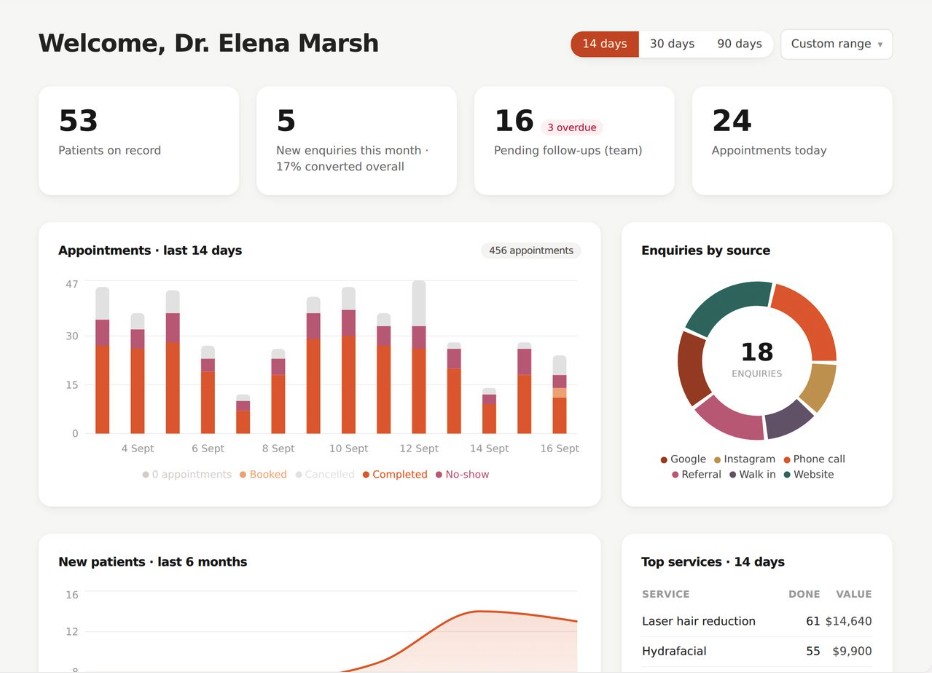
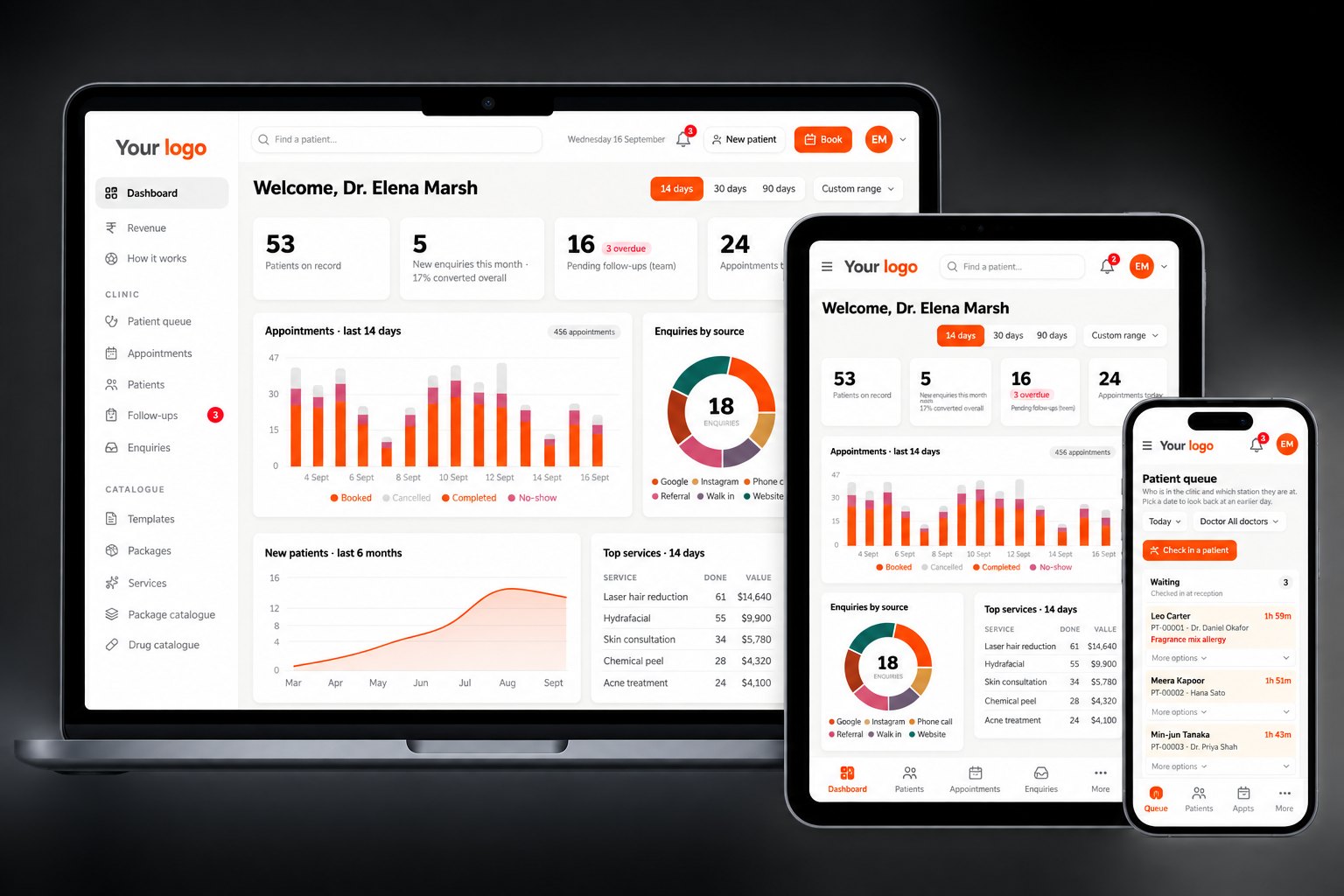
Appointments, queue and revenue for today, new patients over six months, enquiry conversion and follow-ups due.
Attach reports and paperwork to a patient, stored encrypted, with a record of who added each file.
A library of integrations including WhatsApp Business, Razorpay, Zoho Books, Tally Prime, ABDM and Google Calendar.
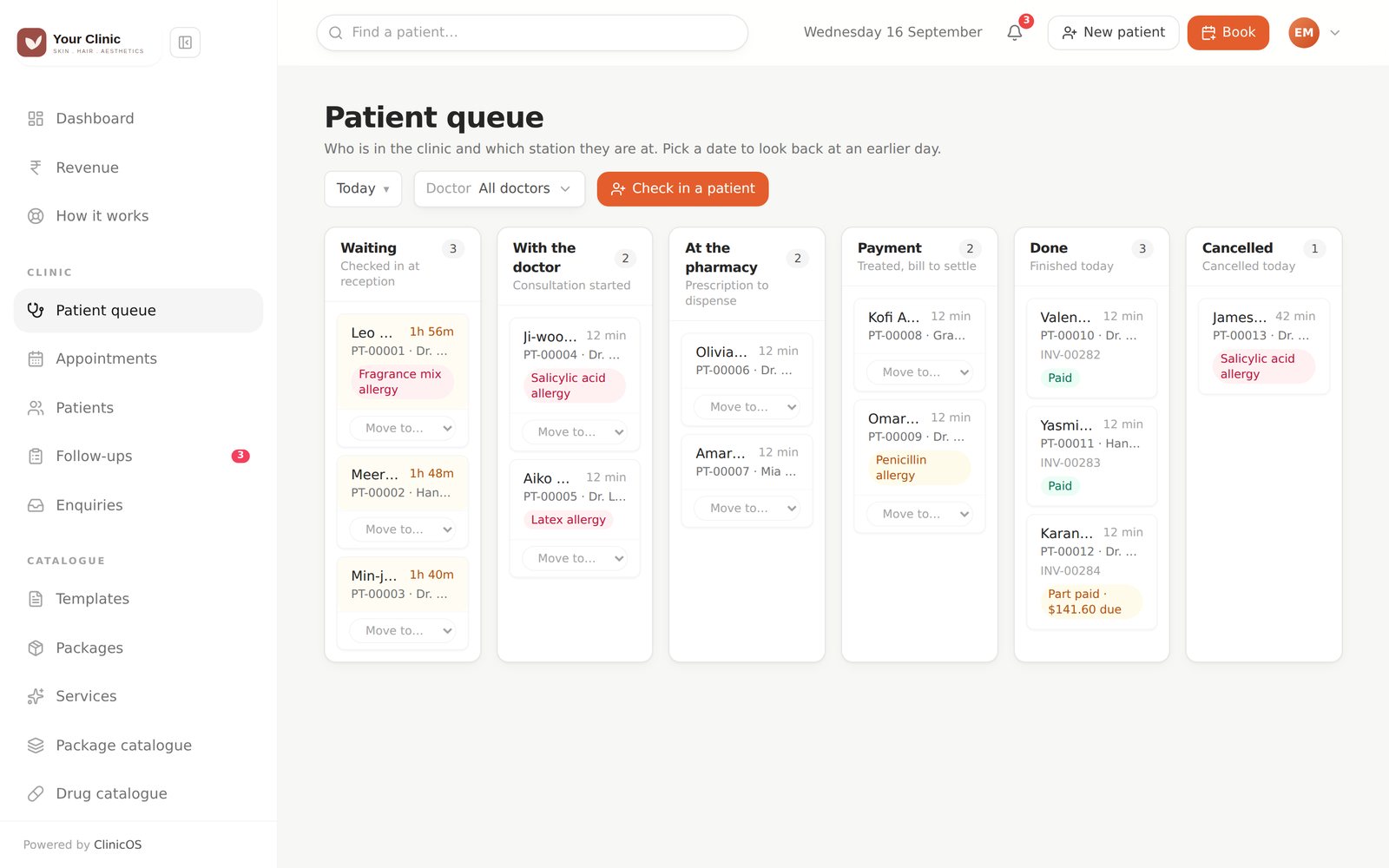
Drag a card from Waiting to With the doctor to Pharmacy to Payment. Waiting time and allergies sit on every card.
Day, week and month views, colour-coded by practitioner. Slots follow procedure length, so nothing double-books.
Profile, alerts, visits, notes, photos and documents, in sections that open when you need them.
Photos grouped by body area and angle. Drag across the image to compare the first visit with the latest.
Every enquiry with its source, owner and status, and a clear flag when a follow-up is due.
Sell a six-session package once and redeem each visit against it. The balance is always visible.
Collected, billed, discounts, outstanding and missed bookings, from real bills and payments.
A hash-chained history of who did what. One look tells you the chain is intact.
Role-based access control in one matrix. Tick what reception, doctors or any custom role can do, and it applies within seconds. Doctors only ever see their own patients.
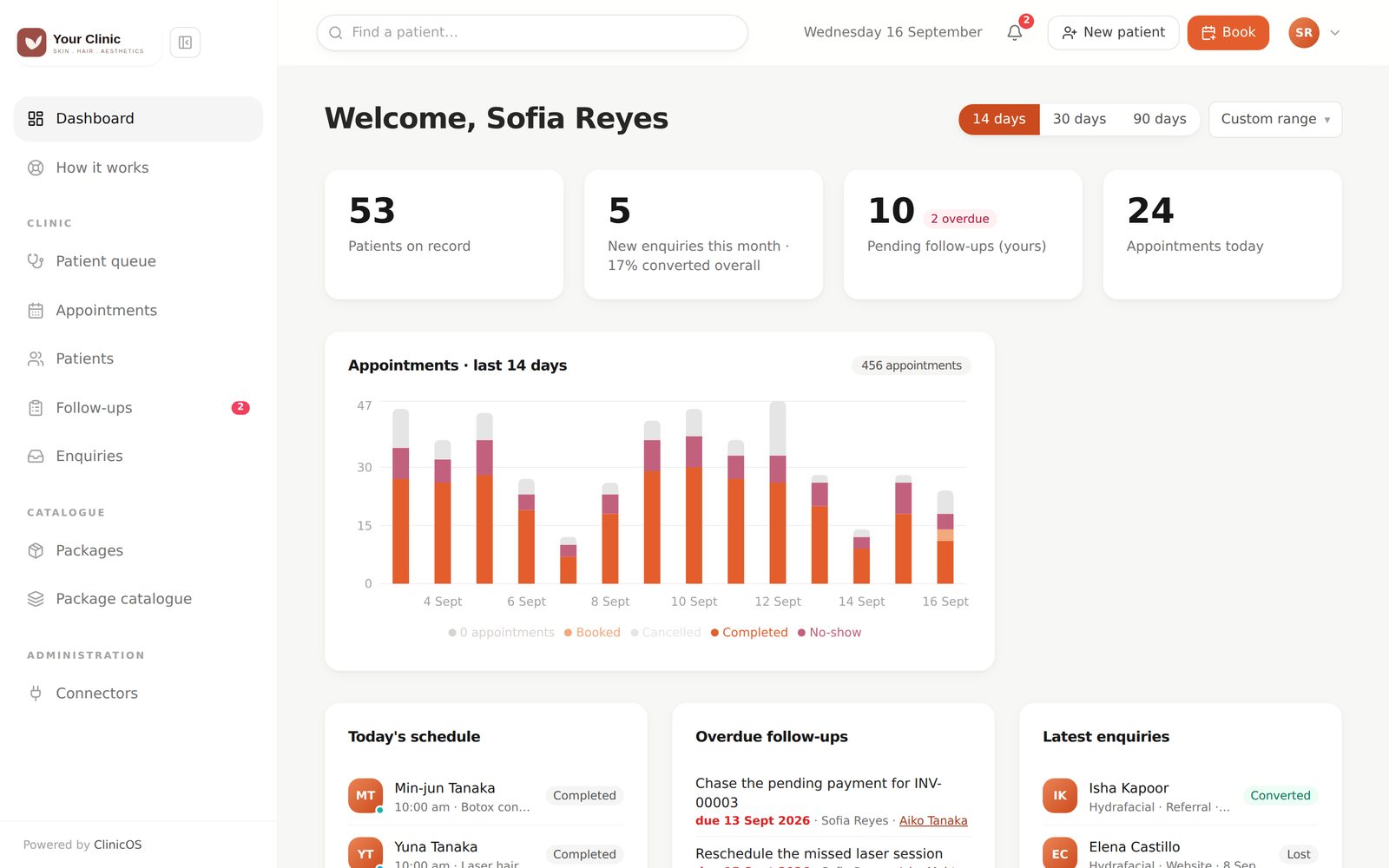
A warning that can be clicked past is how bad data reaches a patient. So where a mistake is expensive, COS says no.
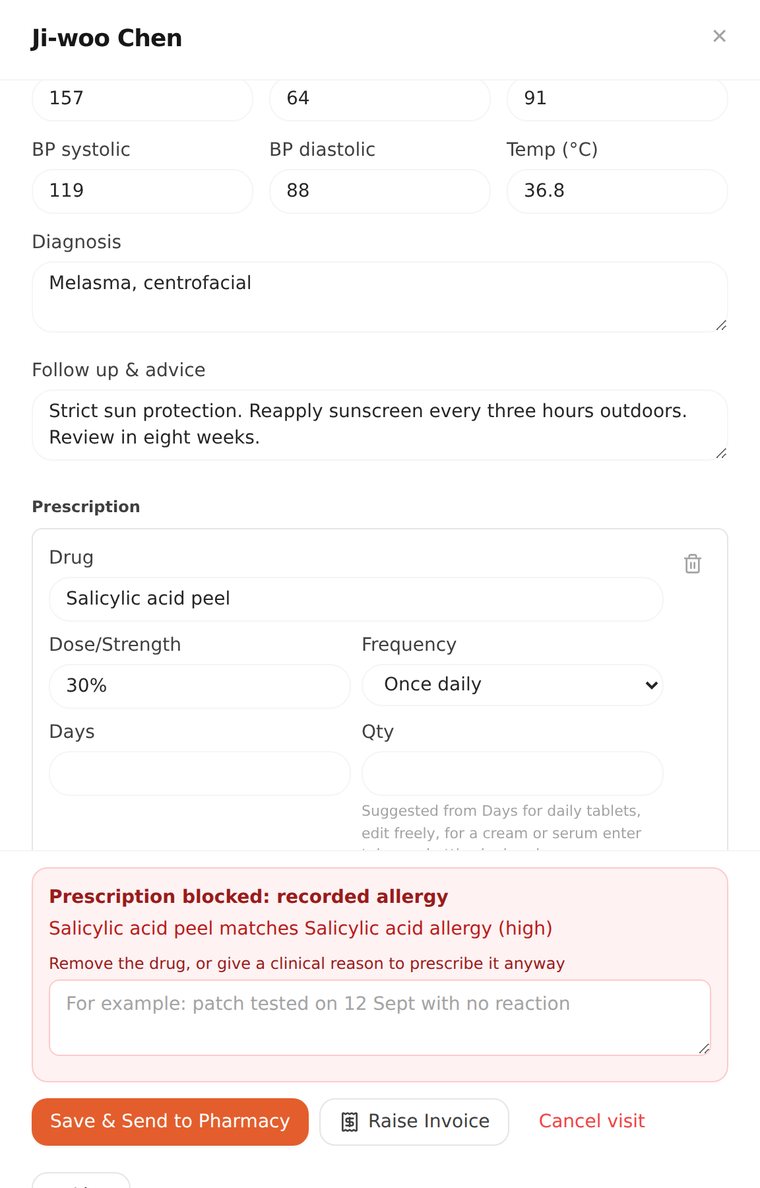
Refused unless the doctor types a reason, and that reason is recorded.
No photography consent, no upload. There is no override.
A bill with no total is refused unless "no charge" is ticked on purpose.
Practitioners see their own diary and patients only.
Past versions of notes and prescriptions stay readable, and the audit chain flags any tampering.
Clinical photographs and integration credentials are encrypted at rest with AES-256-GCM.
Owner, Reception and Practitioner come with sensible permissions. Change any of them, or add roles of your own.
Upload a spreadsheet. COS checks every row first, flags errors and duplicate phone numbers, and imports nothing until the file is clean.
Starter templates for common treatments are ready in the picker. Edit them to match how your doctors write notes.
Consent is recorded per purpose, and every change is written to a tamper-evident audit log from the very first record.
Yes. The CSV import maps your columns and runs a dry run first, showing row-level errors and duplicate matches before anything is saved.
Consent is recorded per purpose (treatment, photography, marketing, data sharing) against the privacy notice the patient saw. Patients can withdraw in one step, and the clinic can export or erase a patient's data.
Clinical photographs, documents and integration credentials are encrypted at rest. Photos are served only after a fresh permission check, and are never cached on shared tablets.
Yes. The owner edits a permission matrix across roles, can create custom roles, and a role change ends that person's session immediately.
Yes. Every screen adapts to smaller displays, and tables turn into cards on phones. Photos can be captured straight from a tablet camera.
Yes. Services, prices, drugs, dosing frequencies, clinic details and opening hours are all edited from practice admin, without calling a developer.